
Simple optimization of Cinema 4D render
Here is a demonstration of the improved rendering of a scene Cinema 4D step by step :
All render presented in this page were made with an evaluation version of Cinema 4D.
Step 1 : Anti-Aliasing 4x4 + Color correction
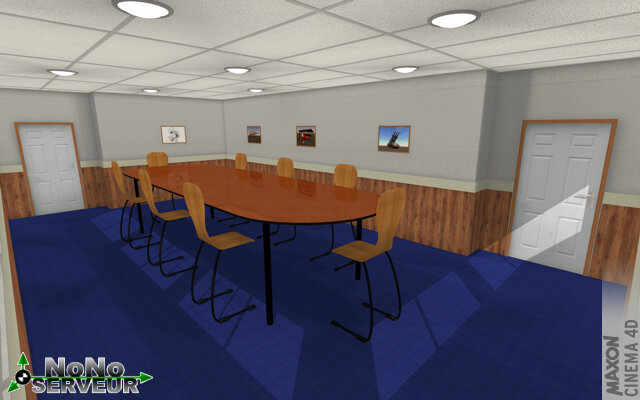
Step 2 : Anti-Aliasing 4x4 + Global illumination + Color correction
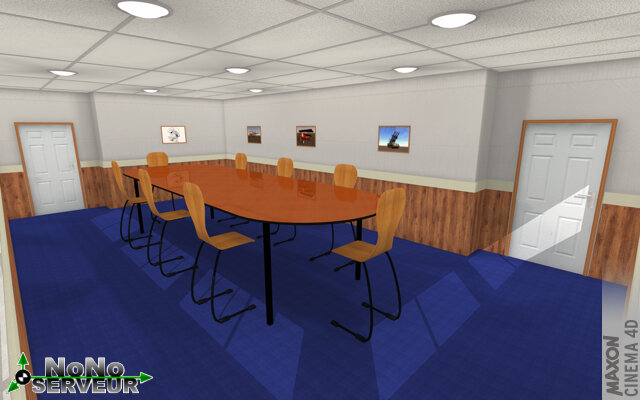
Step 3 : Anti-Aliasing 4x4 + Global illumination + Glow + Color correction
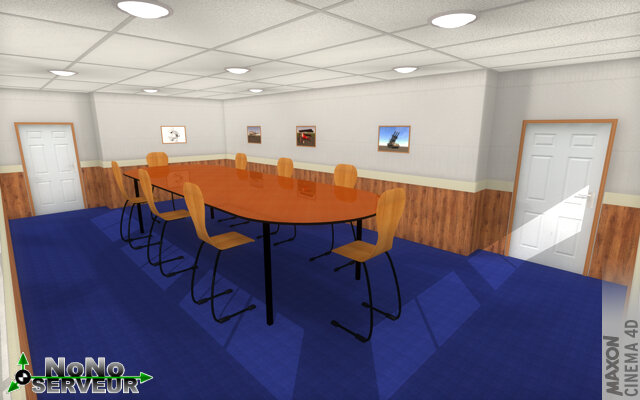
Step 4 : Anti-Aliasing 4x4 + Global illumination + Ambient occlusion (bad setting) + Glow + Color correction
.jpg)
Step 5 : Anti-Aliasing 4x4 + Global illumination + Ambient occlusion (good setting) + Glow + Color correction
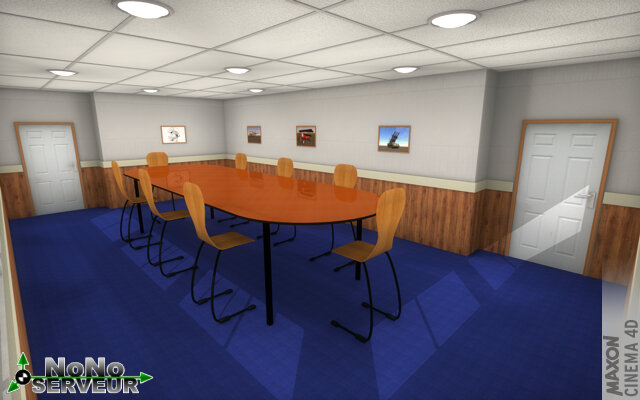
Comparison of different steps
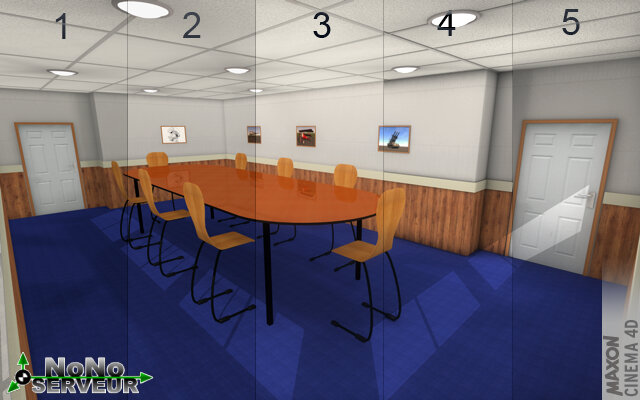
All render presented in this page were made with an evaluation version of Cinema 4D.
Step 1 : Anti-Aliasing 4x4 + Color correction
Step 2 : Anti-Aliasing 4x4 + Global illumination + Color correction
Step 3 : Anti-Aliasing 4x4 + Global illumination + Glow + Color correction
Step 4 : Anti-Aliasing 4x4 + Global illumination + Ambient occlusion (bad setting) + Glow + Color correction
Step 5 : Anti-Aliasing 4x4 + Global illumination + Ambient occlusion (good setting) + Glow + Color correction
Comparison of different steps